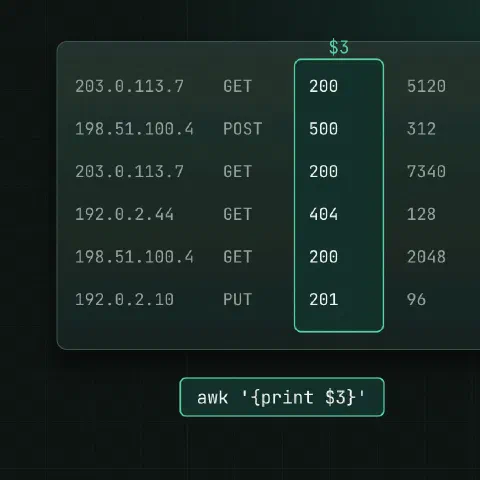
awk reads input line by line, splits each line into fields and runs pattern { action } on the lines that match. You need very little of the language to get a lot done.
Fields
| Variable | Meaning |
|---|---|
$0 | The whole line |
$1, $2 … | First, second … field |
$NF | Last field; $(NF-1) the one before |
NF | Number of fields on the line |
NR | Line number across all input |
FNR | Line number within the current file |
FS / OFS | Input / output field separator |
awk '{print $1}' access.log               # first column
awk '{print $1, $NF}' access.log          # first and last
awk '{print NR": "$0}' file.txt           # number the lines
Separators
awk -F: '{print $1, $7}' /etc/passwd      # user and shell
awk -F, '{print $2}' data.csv             # simple CSV (no quoted commas)
awk -F'\t' '{print $3}' data.tsv
awk 'BEGIN{FS=":"; OFS="\t"} {print $1, $3}' /etc/passwd
By default fields are split on runs of spaces and tabs, and leading spaces are ignored, which is exactly right for ps, df and ls -l output.
Filtering
awk '$9 == 500' access.log                # status 500 (combined log format)
awk '$3 > 80' metrics.txt                 # numeric comparison
awk '/ERROR/' app.log                     # like grep
awk '$1 ~ /^10\./' access.log             # field matches a regex
awk '!/^#/ && NF' config.conf             # skip comments and empty lines
awk 'NR==10, NR==20' file.txt             # lines 10 to 20
awk 'NR > 1' data.csv                     # skip the header
awk 'length($0) > 200' file.txt           # long lines
Sums and counts
# Total bytes sent (field 10 in combined log format)
awk '{sum += $10} END {print sum}' access.log

# Average
awk '{sum += $3; n++} END {if (n) print sum/n}' metrics.txt

# Requests per IP, most first
awk '{count[$1]++} END {for (ip in count) print count[ip], ip}' access.log | sort -rn | head

# Bytes per status code
awk '{bytes[$9] += $10} END {for (s in bytes) print s, bytes[s]}' access.log

# Max value and its line
awk '$3 > max {max = $3; line = $0} END {print line}' metrics.txt
Reformatting
awk '{printf "%-20s %8.2f\n", $1, $2}' prices.txt   # aligned columns
awk '{$2 = ""; print}' file.txt                     # drop column 2
awk -v OFS=, '{$1 = $1; print}' file.txt            # spaces → commas
awk '{print toupper($1)}' file.txt
awk '!seen[$0]++' file.txt                          # remove duplicate lines, keep order
$1 = $1 looks odd: assigning any field makes awk rebuild the line with OFS.
Command output
df -h | awk 'NR > 1 && $5+0 > 80 {print $6, $5}'    # filesystems over 80 %
ps aux | awk '$3 > 50 {print $2, $11}'              # PIDs over 50 % CPU
ss -tn | awk 'NR > 1 {split($5, a, ":"); print a[1]}' | sort | uniq -c | sort -rn
Shell variables
limit=500
awk -v limit="$limit" '$10 > limit' access.log
Pass values with -v instead of splicing them into the quoted program.
Keep in mind
- Single-quote the program, so the shell leaves
$1alone. $5+0turns"85%"into the number85.- Most systems ship
mawkorgawk; everything above works in both. gawk addsasort,strftimeand-i inplace.
Related
- Linux pipes cheat sheet: redirects and chaining commands
- sed cheat sheet: editing text in streams and files
- text processing one-liners: cut, tr, paste, comm and join
- sort and uniq cheat sheet: sorting, duplicates and ranking
Comments
Sign in with Google, GitHub or Facebook to comment.
Loading comments…