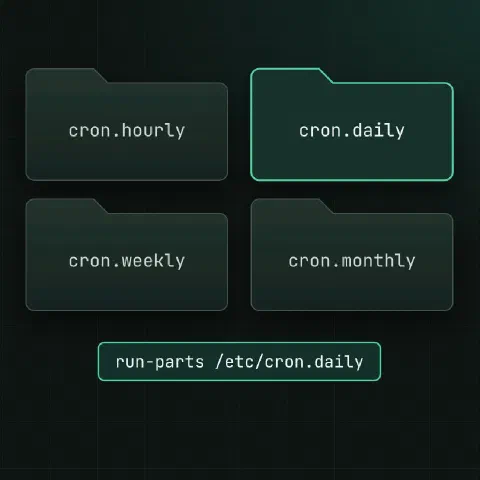
Cron jobs can hide in six places. This sheet covers where they live and how each place behaves. For the schedule syntax, see the cron cheat sheet.
Where jobs live
| Place | Who edits it | User field | Schedule |
|---|---|---|---|
crontab -e (per user) | Each user | No, runs as that user | Your own lines |
/etc/crontab | root | Yes | Your own lines |
/etc/cron.d/* | root, packages | Yes | Your own lines |
/etc/cron.hourly/ | root, packages | No, scripts run as root | Once an hour |
/etc/cron.daily/ | root, packages | No | Once a day |
/etc/cron.weekly/ | root, packages | No | Once a week |
/etc/cron.monthly/ | root, packages | No | Once a month |
Put your own system jobs in /etc/cron.d/, one file per job. Package upgrades may overwrite /etc/crontab, and a separate file is easy to find, review and remove.
crontab command
crontab -e                              # edit your crontab
crontab -l                              # show it
crontab -l > crontab.bak                # back it up
crontab crontab.bak                     # replace it from a file
crontab -u alice -e                     # edit another user's (root)
crontab -r                              # delete it, with no prompt
-r sits next to -e on the keyboard. Keep a backup, or use crontab -ri where it’s supported, which asks first.
User crontabs are stored in /var/spool/cron/crontabs/<user> on Debian and Ubuntu and in /var/spool/cron/<user> on RHEL and Fedora. Always edit them with crontab, which checks the syntax and tells cron to reload.
/etc/crontab
SHELL=/bin/sh
PATH=/usr/local/sbin:/usr/local/bin:/sbin:/bin:/usr/sbin:/usr/bin

# m  h dom mon dow user  command
17 *    * * *   root    cd / && run-parts --report /etc/cron.hourly
25 6    * * *   root    test -x /usr/sbin/anacron || { cd / && run-parts --report /etc/cron.daily; }
47 6    * * 7   root    test -x /usr/sbin/anacron || { cd / && run-parts --report /etc/cron.weekly; }
52 6    1 * *   root    test -x /usr/sbin/anacron || { cd / && run-parts --report /etc/cron.monthly; }
This is how the cron.* folders get run. Without anacron, daily jobs run at 06:25. With anacron installed, anacron runs them instead (see below).
/etc/cron.d
SHELL=/bin/bash
PATH=/usr/local/sbin:/usr/local/bin:/usr/sbin:/usr/bin:/sbin:/bin
[email protected]

15 2 * * * postgres /usr/local/bin/db-backup.sh >> /var/log/db-backup.log 2>&1
Debian and Ubuntu use Debian’s cron; RHEL, Rocky, Fedora and Alma use cronie. They check /etc/cron.d files differently:
| Rule | Debian, Ubuntu (cron) | RHEL, Fedora (cronie) |
|---|---|---|
| Owner | root | root |
| Mode | Not group- or world-writable | Not executable, and not writable by group or others: 644 works, 755 is rejected |
| Name | Letters, digits, _ and - only: backup.cron is ignored | Any name, except ones starting with . or #, or ending in ~, .rpmsave, .rpmnew or .rpmorig |
| Last line | Must end with a newline | A trailing newline is safe |
A file that passes both columns works everywhere: owned by root, mode 644, named like db-backup, ending with a newline. Variables at the top of a file apply to every line in it. Each file is separate and doesn’t inherit variables from /etc/crontab.
The cron.* folders
Each folder holds plain executable scripts, with no schedule lines inside. run-parts runs them one after another, in name order.
cat > /etc/cron.daily/cleanup-tmp <<'EOF'
#!/bin/sh
find /var/tmp/app -type f -mtime +7 -delete
EOF
chmod 755 /etc/cron.daily/cleanup-tmp

run-parts --test /etc/cron.daily        # list what would run (Debian)
run-parts --report /etc/cron.daily      # run them now, print what ran
ls -l /etc/cron.daily/| Rule | Why |
|---|---|
Executable (chmod 755) | Non-executable files are skipped silently |
| Owned by root, not group- or world-writable | Debian’s cron and run-parts refuse anything else |
Starts with a shebang (#!/bin/sh) | run-parts executes the file directly |
| Prefix numbers to set the order | 00logwatch runs before 50backup |
| Scripts run as root, one at a time | A slow script delays the rest |
The two families ship different run-parts programs, and they disagree on names:
| Debian, Ubuntu | RHEL, Fedora | |
|---|---|---|
| Comes from | debianutils (a C program) | crontabs (a shell script) |
cleanup.sh | Skipped: only letters, digits, _ and - | Runs |
| Skipped names | Anything with a dot, so .dpkg-old and .dpkg-new leftovers never run | Names ending in ~, ,, .rpmsave, .rpmorig, .rpmnew, .swp, .cfsaved |
| Turn jobs off without deleting | chmod -x the script | chmod -x, or list it in jobs.deny in the same folder |
Name scripts without dots, like cleanup-tmp, and they run on both.
run-parts --test /etc/cron.daily lists what would run on either family. If a script that “never runs” isn’t listed, its name or permissions are the problem.
anacron
anacron runs daily, weekly and monthly jobs on machines that aren’t always on, like laptops or VMs that get stopped at night. It remembers when each folder last ran and catches up after a boot.
RANDOM_DELAY=45
START_HOURS_RANGE=3-22

#period  delay  job-id        command
1        5      cron.daily    nice run-parts /etc/cron.daily
7        25     cron.weekly   nice run-parts /etc/cron.weekly
@monthly 45 cron.monthly nice run-parts /etc/cron.monthlyls /var/spool/anacron/ # timestamps of the last runs
anacron -T # check anacrontab syntax
anacron -fn # run every job now, ignoring timestamps| Distro | What runs the folders |
|---|---|
| Debian, Ubuntu | /etc/crontab lines; when anacron is installed, anacron.timer (systemd) or /etc/cron.d/anacron |
| RHEL, Rocky, Fedora | /etc/cron.d/0hourly runs cron.hourly at minute 01; its 0anacron script starts anacron for daily, weekly and monthly |
So on RHEL, “daily” jobs start some time between 03:00 and 22:00 with a random delay, not at a fixed minute.
Who may use cron
| File | Effect |
|---|---|
/etc/cron.allow exists | Only users listed in it may use crontab; cron.deny is ignored |
Only /etc/cron.deny exists | Everyone except the users listed in it |
| Neither exists | Debian and Ubuntu: every user. cronie: root only |
RHEL and Fedora install an empty /etc/cron.deny, so out of the box every user can use crontab there too. Delete that file and only root can.
Root can always use crontab. These files only control the crontab command. A user who is denied later keeps their existing crontab, and its jobs keep running until you remove it with crontab -r -u <user>.
Find every job
for u in $(cut -d: -f1 /etc/passwd); do
  crontab -l -u "$u" 2>/dev/null | grep -v '^#' | sed "s/^/$u: /"
done
cat /etc/crontab
ls -l /etc/cron.d/ /etc/cron.{hourly,daily,weekly,monthly}/
systemctl list-timers --all             # systemd timers do the same job
Run this when taking over a server. Old jobs that nobody remembers are a classic source of 3 a.m. load spikes.
Keep in mind
- A script in
cron.dailythat works when you run it by hand but not from cron is almost always the name (a dot), the missing execute bit orPATH. - Packages drop their own scripts in these folders:
logrotate,man-db,aptand others. Read them before you wonder where a nightly job comes from. - For anything with dependencies, retries or logging to the journal, consider a systemd timer.
Comments
Sign in with Google, GitHub or Facebook to comment.
Loading comments…