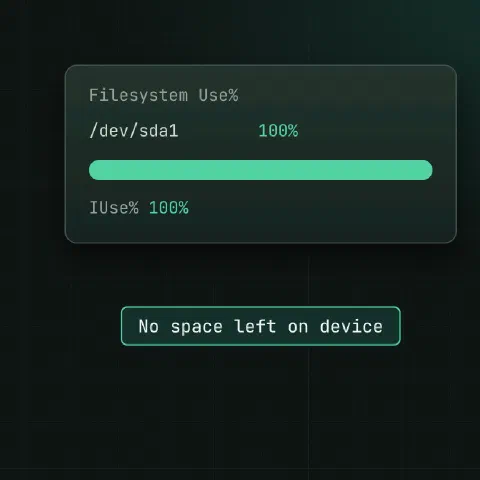
“No space left on device” has three common causes: the space is really used, deleted files are still held open, or the filesystem has run out of inodes. The first two commands below tell you which one you have.
First checks
df -h /var                              # space
df -i /var                              # inodes
du -xsh /var 2>/dev/null # what the files add up to| What you see | Cause | Go to |
|---|---|---|
df -h full, du agrees | Real files use the space | What uses it |
df -h full, du much smaller | Deleted files still open, or files under a mount point | Deleted but open |
df -h has room, df -i at 100% | Out of inodes: too many small files | Full inodes |
What uses it
du -xh --max-depth=1 / 2>/dev/null | sort -rh | head
du -xh --max-depth=1 /var 2>/dev/null | sort -rh | head
find / -xdev -type f -size +500M -exec ls -lh {} + 2>/dev/null
ncdu -x /                               # interactive, if installed
journalctl --disk-usage
docker system df
For mounts, LVM and growing a volume once you know the space is real, see disks: df, du, mounts and LVM.
Usual suspects: logs in /var/log, the journal, old kernels in /boot, package caches, container images, core dumps and forgotten backups.
Deleted but open
A file’s space is freed only when no name points to it and no process has it open. Delete a log a process still writes to, and the name is gone but the space isn’t. A big gap between df and du on the same filesystem almost always means this.
Find them
lsof +L1                                # open files with link count 0: deleted
lsof +L1 /var                           # only on that filesystem
lsof -nP +L1 | awk 'NR>1 {print $7, $2, $1, $NF}' | sort -rn | head    # size, PID, command, path
Without lsof, look in /proc:
find /proc/*/fd -ls 2>/dev/null | grep '(deleted)'
ls -l /proc/1234/fd | grep deleted
Free the space
Best: tell the process to reopen its files.
| Program | Reopen logs |
|---|---|
| nginx | nginx -s reopen or kill -USR1 <master pid> |
| Apache | apachectl graceful |
| rsyslog | systemctl kill -s HUP rsyslog |
| PostgreSQL | SELECT pg_rotate_logfile(); |
| Most daemons | systemctl reload <unit> or restart it |
When you can’t restart it, truncate the open file through /proc:
ls -l /proc/1234/fd | grep deleted      # find the fd number, e.g. 7
: > /proc/1234/fd/7                     # truncate it to zero bytes
df -h /var                              # space is back
The process keeps writing at its old offset, so the file becomes sparse; that’s harmless for logs.
Recover a file
The data is still there while the process runs:
cp /proc/1234/fd/7 /root/recovered-app.logCopy it before you restart or truncate anything.
Prevent it
| Habit | Why |
|---|---|
Truncate, don’t delete: : > app.log | Keeps the inode, frees the space now |
logrotate with postrotate reload | The program switches to the new file |
logrotate copytruncate | For programs that can’t reopen logs (may lose a few lines) |
| Log to the journal or syslog | They handle rotation for the program |
/var/log/app/*.log {
    daily
    rotate 14
    compress
    delaycompress
    missingok
    notifempty
    postrotate
        systemctl reload app >/dev/null 2>&1 || true
    endscript
}
Full inodes
Every file, directory and symlink uses one inode. ext4 sets the number of inodes when the filesystem is created, so millions of tiny files can fill them while gigabytes of space are still free.
df -i                                   # IUse% per filesystem
du --inodes -x / 2>/dev/null | sort -rn | head -20     # directories with most entries (GNU du 8.22+)
find / -xdev -printf '%h\n' 2>/dev/null | sort | uniq -c | sort -rn | head # files per directory| Usual cause | Where |
|---|---|
| PHP or app sessions | /var/lib/php/sessions, /tmp |
| Mail queue | /var/spool/postfix, /var/spool/exim |
| Cache files | /var/cache/*, app cache/ directories |
| Container layers | /var/lib/docker/overlay2, /var/lib/containerd |
| Old kernels’ modules and headers | /usr/src, /lib/modules |
| Build and package artifacts | node_modules, CI workspaces |
Clean up
# "Argument list too long" with rm *: let find do it
find /var/lib/php/sessions -type f -mmin +1440 -delete

# huge directories: delete without sorting or listing first
find /srv/app/cache -mindepth 1 -delete

# containers
docker system prune
Avoid it
| Fix | Note |
|---|---|
| Clean up old files from cron or a systemd timer | e.g. systemd-tmpfiles with an Age field |
| Put many-small-files data on its own filesystem | A runaway cache can’t fill / |
| More inodes on a new ext4 filesystem | mkfs.ext4 -i 8192 (one inode per 8 KiB) or -T small |
| Use XFS or Btrfs | They allocate inodes dynamically |
The inode count of an existing ext4 filesystem can’t be raised. Grow the filesystem, which adds inodes with the space, or move the data.
Other hidden space
# files under a mount point: bind-mount the parent and look
mkdir /mnt/root && mount --bind / /mnt/root
du -sh /mnt/root/var/*                  # shows what's hidden under mounts
umount /mnt/root

# reserved blocks on ext4
tune2fs -l /dev/sda1 | grep -i 'reserved block count'

# containers: deleted layers held by running containers
docker system df
Keep in mind
rmon a 50 GB log of a running service frees nothing. Truncate it, or delete it and reload the service.lsofshows sizes in bytes; sort numerically.- Run these as root, or
lsofand/proconly show your own processes.
Related
- Linux pipes cheat sheet: redirects and chaining commands
- Linux disks cheat sheet: df, du, mounts and LVM
- Linux processes cheat sheet: ps, kill, signals and jobs
Comments
Sign in with Google, GitHub or Facebook to comment.
Loading comments…