Space
df -hT                                  # usage per filesystem, with type
df -i                                   # inodes: full even when space isn't
du -sh /var/log
du -xh --max-depth=1 / 2>/dev/null | sort -rh | head
ncdu -x /                               # interactive, if installed
df full but du doesn’t add up, or df -i at 100%? See no space left on device.
Block devices
lsblk -f                                # disks, partitions, filesystems, mount points
lsblk -o NAME,SIZE,TYPE,FSTYPE,MOUNTPOINTS,MODEL
blkid                                   # UUIDs and types
fdisk -l /dev/sdb
cat /proc/partitions
Partition
parted /dev/sdb --script mklabel gpt mkpart data ext4 1MiB 100%
mkfs.ext4 -L data /dev/sdb1
mkfs.xfs -L data /dev/sdb1
Double-check the device name with lsblk before mkfs. It doesn’t ask.
Mount
mount /dev/sdb1 /mnt/data
mount -o remount,ro /mnt/data
umount /mnt/data
findmnt /mnt/data                       # what is mounted where, with options
findmnt -t ext4,xfs
fuser -vm /mnt/data                     # who keeps it busy
fstab
UUID=0a1b2c3d-1111-2222-3333-444455556666  /srv/data  ext4  defaults,noatime  0  2
UUID=9f8e7d6c-aaaa-bbbb-cccc-ddddeeeeffff /backup xfs defaults,nofail 0 0| Field | Meaning |
|---|---|
| 1 | Device, by UUID= so it survives disk reordering |
| 2 | Mount point |
| 3 | Filesystem type |
| 4 | Options: noatime, nofail (boot even if missing), nodev,nosuid,noexec |
| 5 | dump: always 0 |
| 6 | fsck order: 1 root, 2 others, 0 skip |
findmnt --verify                        # check fstab before rebooting
mount -a                                # mount everything not yet mounted
systemctl daemon-reload                 # systemd reads fstab into mount units
LVM
pvs; vgs; lvs                           # physical volumes, groups, logical volumes
pvcreate /dev/sdc
vgextend vg0 /dev/sdc
lvcreate -n data -L 50G vg0
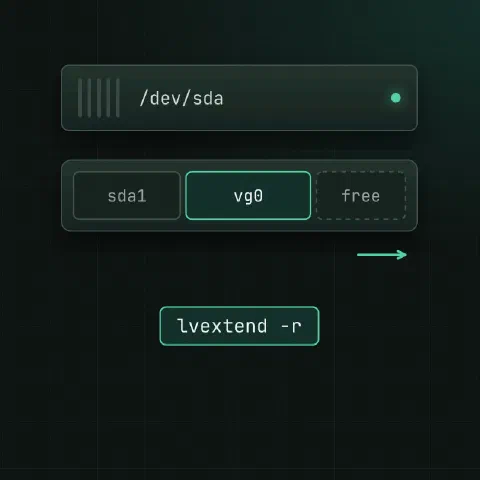
lvextend -r -L +20G /dev/vg0/data       # -r grows the filesystem too
lvextend -r -l +100%FREE /dev/vg0/data
lvcreate -s -n data-snap -L 5G /dev/vg0/data    # snapshot before a risky change
Grow online
# after enlarging the virtual disk
echo 1 > /sys/class/block/sda/device/rescan
growpart /dev/sda 3                     # from cloud-guest-utils
pvresize /dev/sda3                      # if it's an LVM PV
resize2fs /dev/sda3                     # ext4, or
xfs_growfs /                            # XFS, by mount point
XFS can grow but never shrink; ext4 can shrink only unmounted.
Health
smartctl -H /dev/sda
smartctl -a /dev/nvme0
dmesg -T | grep -iE 'i/o error|ext4|xfs|nvme'
iostat -xz 1                            # %util and await per device
fsck -n /dev/sdb1                       # read-only check, unmounted
Keep in mind
- Running out of inodes (
df -i) looks like a full disk; millions of small files (sessions, mail queue, cache) are the usual cause. Finding and fixing full inodes has the steps. - ext4 reserves 5% for root by default.
tune2fs -m 1 /dev/sdb1lowers it on data disks. - A typo in fstab can stop the boot. Use
nofailfor non-essential mounts and runfindmnt --verify.
Related
- Linux pipes cheat sheet: redirects and chaining commands
- disk full cheat sheet: deleted open files, full inodes, hidden space
- find cheat sheet: finding files by name, age and size
Comments
Sign in with Google, GitHub or Facebook to comment.
Loading comments…