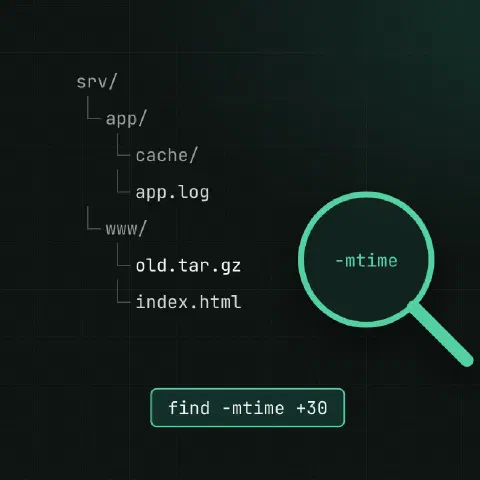
find WHERE TESTS ACTIONS. With no action, it prints the paths.
By name and type
find /etc -name 'nginx.conf'
find . -iname '*.jpg'                  # case-insensitive
find . -name '*.log' -o -name '*.tmp'  # either (-o is OR)
find . -type f -name '*.yml'           # files only
find . -type d -name node_modules      # directories only
find /usr/bin -type l                  # symlinks
find . -path '*/vendor/*' -prune -o -name '*.php' -print   # skip a directory
Always quote the pattern, or the shell expands *.log before find sees it.
By size
find / -xdev -type f -size +500M           # bigger than 500 MB, this filesystem only
find . -type f -size -1024c                # smaller than 1 KiB (-size -1k matches only empty files: sizes round up)
find . -type f -empty                      # empty files
find / -xdev -type f -size +100M -exec ls -lh {} + | sort -k5 -h   # sorted
-xdev keeps find on one filesystem, so it doesn’t wander into /proc or network mounts.
By time
| Test | Matches |
|---|---|
-mtime -1 | Modified in the last 24 hours |
-mtime +30 | Modified more than 30 days ago |
-mmin -15 | Modified in the last 15 minutes |
-newer ref.txt | Modified after ref.txt |
-newermt '2026-10-01' | Modified after a date (GNU) |
-atime, -ctime | Same, for access time and status change |
find /var/log -name '*.gz' -mtime +30
find /etc -mmin -60 -type f       # what changed in the last hour
By owner and mode
find /srv -user www-data
find /home -nouser                     # owner no longer exists
find . -type f -perm -o+w              # world-writable files
find / -xdev -perm -4000 -type f       # setuid binaries (audit these)
find . -type f ! -perm 644             # anything that isn't 644
Depth
find . -maxdepth 1 -type d             # immediate subdirectories
find . -mindepth 2 -name '*.md'
Act on results
# One command per file
find . -name '*.sh' -exec chmod +x {} \;

# Batch many files into one command (faster)
find . -name '*.log' -exec gzip {} +

# Delete: print first, then swap -print for -delete
find /tmp -type f -mtime +7 -print
find /tmp -type f -mtime +7 -delete

# Ask before each one
find . -name '*.bak' -ok rm {} \;

# Fix permissions in a web root
find /srv/www -type d -exec chmod 755 {} +
find /srv/www -type f -exec chmod 644 {} +
With xargs, use null separators so spaces and newlines in names can’t break anything:
find . -name '*.jpg' -print0 | xargs -0 -P4 -n50 jpegoptimOutput
find . -type f -printf '%s %p\n' | sort -n | tail     # size and path (GNU)
find . -type f -printf '%TY-%Tm-%Td %p\n'             # date and path
find . -type f | wc -l                                # count
Keep in mind
-deleteimplies-depthand removes whatever matches. Put it last and always run the same command with-printfirst.- Order matters: tests are evaluated left to right.
find . -delete -name '*.tmp'deletes everything. - Permission errors clutter the output: add
2>/dev/null. - To find files by name fast across the whole disk,
locate(plocate) uses an index, updated byupdatedb.
Related
- Linux pipes cheat sheet: redirects and chaining commands
- xargs cheat sheet: turn input into arguments
- Linux disks cheat sheet: df, du, mounts and LVM
Comments
Sign in with Google, GitHub or Facebook to comment.
Loading comments…