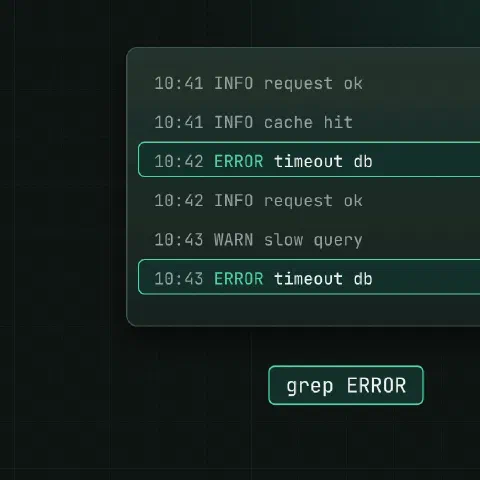
grep PATTERN FILE prints every line that matches. Everything else is flags.
Everyday flags
| Flag | What it does |
|---|---|
-i | Ignore case |
-v | Invert: lines that do not match |
-w | Whole words only (-w err skips error) |
-x | Whole line must match |
-n | Show line numbers |
-c | Count matching lines instead of printing them |
-l / -L | Only the names of files that match / don’t match |
-o | Print only the matching part, one per line |
-m 5 | Stop after 5 matches |
-q | Quiet: exit status only, for scripts |
-F | Fixed string, no regex (fast, and no escaping of . or [) |
-E | Extended regex: +, ?, |, {n} and () without backslashes |
-P | Perl regex: \d, lookarounds, non-greedy (GNU grep) |
Context
grep -A 3 'Out of memory' /var/log/syslog   # 3 lines after
grep -B 2 'Traceback' app.log               # 2 lines before
grep -C 5 'panic' app.log                   # 5 lines around
Recursive search
grep -rn 'listen 443' /etc/nginx/
grep -rn --include='*.yml' 'image:' .
grep -rn --exclude-dir={.git,node_modules} 'TODO' .
grep -rl 'old.example.com' /etc/        # just the file names
-r doesn’t follow symlinks inside the tree; -R does.
Common patterns
# Several patterns
grep -E 'error|warn|fatal' app.log
grep -e 'error' -e 'warn' app.log

# Patterns from a file, one per line
grep -Ff blocked-ips.txt access.log

# IPv4 addresses
grep -Eo '([0-9]{1,3}\.){3}[0-9]{1,3}' access.log

# Lines that start with a date
grep -E '^2026-10-[0-9]{2}' app.log

# Strip comments and empty lines from a config
grep -Ev '^\s*(#|$)' /etc/ssh/sshd_config

# The value after a key (Perl regex, GNU grep)
grep -oP '(?<=user=)\w+' auth.log
Counting
grep -c ' 500 ' access.log                       # how many 500s
grep -o '" [0-9]\{3\} ' access.log | sort | uniq -c | sort -rn   # status code counts
grep -h 'Failed password' /var/log/auth.log* | grep -oP 'from \K[\d.]+' | sort | uniq -c | sort -rn | head
Logs and processes
zgrep 'Failed password' /var/log/auth.log.*.gz
ps aux | grep '[n]ginx'      # the [n] keeps grep itself out of the list
pgrep -a nginx does the last one better.
In scripts
if grep -q '^PermitRootLogin no' /etc/ssh/sshd_config; then
  echo "root login disabled"
fi
Exit status: 0 match found, 1 no match, 2 error. With set -e, a grep that finds nothing stops the script; add || true when no match is fine.
Keep in mind
- Quote the pattern in single quotes, so the shell doesn’t expand
*,$or!. grep -Pis GNU-only; on macOS install GNU grep or use-E.- For large source trees, ripgrep (
rg) is faster, recursive by default and skips.gitignored files. Most flags above work the same.
Related
- Linux pipes cheat sheet: redirects and chaining commands
- regex cheat sheet: patterns for grep, sed and awk
- sed cheat sheet: editing text in streams and files
- awk cheat sheet: columns, sums and reports
Comments
Sign in with Google, GitHub or Facebook to comment.
Loading comments…