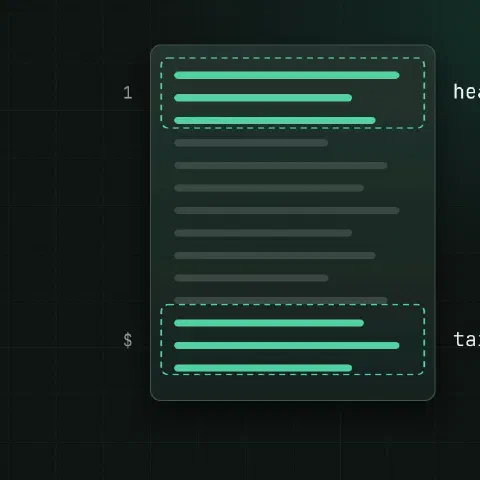
head
head file                               # first 10 lines
head -n 20 file                         # first 20
head -n -5 file                         # all but the last 5 (GNU)
head -c 100 file                        # first 100 bytes
head -n 1 *.csv                         # header of each file, with names
head -q -n 1 *.csv                      # without the file names
tail
tail file                               # last 10 lines
tail -n 50 file
tail -n +2 data.csv                     # from line 2: skip a header
tail -c 1K file                         # last kilobyte
Follow a log
tail -f app.log                         # follow this file
tail -F app.log                         # follow the name: survives rotation
tail -F /var/log/nginx/{access,error}.log
tail -n 0 -F app.log                    # only new lines
tail -F app.log --pid=1234              # stop when that process exits
tail -F app.log | grep --line-buffered ERROR| Flag | What it does |
|---|---|
-f | Keep reading the open file |
-F | Reopen it by name when it’s rotated or recreated |
-n 0 | Start at the end, show nothing old |
-s 5 | Check every 5 seconds |
--pid | Exit when that process ends |
-q / -v | Never / always print file name headers |
Use -F for logs. With -f, tail keeps watching the old rotated file and goes quiet.
Ranges
head -n 20 file | tail -n 5             # lines 16–20
sed -n '16,20p' file                    # the same, one process
sed -n '100p' file                      # only line 100
awk 'NR>=16 && NR<=20' file
tail -n +100 file | head -n 10          # 10 lines from line 100
In pipes
ps aux --sort=-%mem | head -n 6         # header plus top 5
du -sh * | sort -rh | head
ls -t | head -n 1                       # newest file
journalctl -u nginx -n 50 --no-pager    # journald's own tail
dmesg | tail -n 20
head closes the pipe after it has enough lines, so the command before it may print “Broken pipe”. That’s harmless.
Keep in mind
tail -fon a huge file is cheap; it seeks to the end instead of reading everything.less +F filefollows a file liketail -f, andCtrl-Clets you scroll back and search.
Related
- Linux pipes cheat sheet: redirects and chaining commands
- sort and uniq cheat sheet: sorting, duplicates and ranking
- grep cheat sheet: searching text
- journalctl cheat sheet: following and filtering the journal
Comments
Sign in with Google, GitHub or Facebook to comment.
Loading comments…