Basics
journalctl                              # everything, oldest first, in a pager
journalctl -r                           # newest first
journalctl -n 50                        # last 50 lines
journalctl -f                           # follow new entries
journalctl -e                           # jump to the end in the pager
journalctl --no-pager | tail            # plain output for pipes
By unit
journalctl -u nginx
journalctl -u nginx -f
journalctl -u nginx -n 100 --no-pager
journalctl -u nginx -u php8.3-fpm       # several units, interleaved
journalctl -u 'docker*'                 # glob
journalctl --user -u worker             # a user service
journalctl -xeu nginx                   # the classic: end of the log, with explanations
By time and boot
journalctl --since '1 hour ago'
journalctl --since today
journalctl --since yesterday --until today
journalctl --since '2026-10-22 09:00' --until '2026-10-22 10:00'
journalctl -b                           # this boot
journalctl -b -1                        # the previous boot: after a crash or reboot
journalctl --list-boots
journalctl -k                           # kernel messages, like dmesg
journalctl -k -b -1                     # kernel log of the previous boot
By priority
| Level | Name | Use |
|---|---|---|
| 0 | emerg | System is unusable |
| 1 | alert | Act now |
| 2 | crit | Critical |
| 3 | err | Errors |
| 4 | warning | Warnings |
| 5 | notice | Normal but worth noting |
| 6 | info | Informational |
| 7 | debug | Debug |
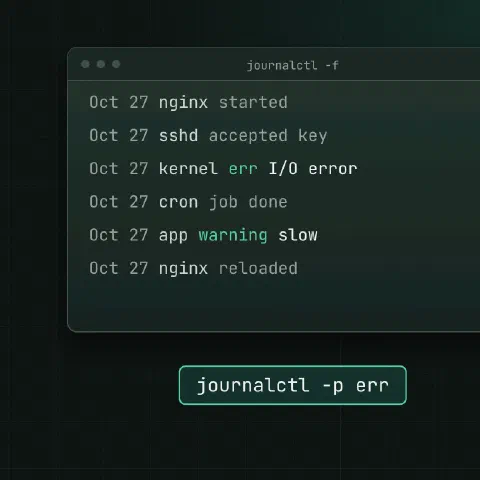
journalctl -p err -b                    # errors and worse since boot
journalctl -p warning..err              # a range
journalctl -u nginx -p warning --since today
By field
journalctl _PID=1234
journalctl _UID=1000
journalctl _COMM=sshd                   # by process name
journalctl /usr/sbin/sshd               # by executable
journalctl SYSLOG_IDENTIFIER=cron
journalctl _SYSTEMD_UNIT=nginx.service _PID=1234      # AND
journalctl _SYSTEMD_UNIT=nginx.service + _SYSTEMD_UNIT=php8.3-fpm.service   # OR
journalctl -F _SYSTEMD_UNIT             # every value a field has
journalctl -N                           # every field name in the journal
Search
journalctl -u nginx --grep 'upstream timed out'
journalctl -g 'Failed password' -u ssh --since today
journalctl --case-sensitive=false -g 'oom'
journalctl -u ssh --since today | grep -c 'Failed password'
--grep matches the message field with a PCRE pattern and needs a journalctl built with PCRE2, which most distributions have.
Output formats
-o value | Output |
|---|---|
short | Default, like syslog |
short-iso | ISO 8601 timestamps |
short-precise | Microsecond timestamps |
cat | Message only, no metadata |
verbose | Every field of every entry |
json / json-pretty | One JSON object per entry |
export | Binary-safe format for systemd-journal-remote |
journalctl -u nginx -o cat -n 20
journalctl -u nginx -o json --since '10 min ago' | jq -r '.MESSAGE'
journalctl -u nginx --output-fields=MESSAGE,_PID -o json
journalctl --utc                        # timestamps in UTC
Size and cleanup
journalctl --disk-usage
sudo journalctl --vacuum-time=14d       # delete entries older than 14 days
sudo journalctl --vacuum-size=1G        # shrink to 1 GB
sudo journalctl --vacuum-files=5
sudo journalctl --rotate                # close the active files first, then vacuum
sudo journalctl --verify                # check for corruption
Configuration
[Journal]
Storage=persistent
SystemMaxUse=1G
SystemKeepFree=2G
MaxRetentionSec=1month
RateLimitIntervalSec=30s
RateLimitBurst=10000
ForwardToSyslog=nosudo systemctl restart systemd-journald| Setting | What it does |
|---|---|
Storage=persistent | Keep logs in /var/log/journal across reboots |
Storage=volatile | Keep logs in RAM only (/run/log/journal) |
SystemMaxUse | Cap on disk use |
SystemKeepFree | Always leave this much disk free |
MaxRetentionSec | Delete entries older than this |
RateLimitBurst | Messages per service per interval before journald drops them |
ForwardToSyslog | Also pass entries to rsyslog |
If journalctl -b -1 says there’s no previous boot, the journal isn’t persistent. Creating /var/log/journal is enough on most systems: sudo mkdir -p /var/log/journal && sudo systemd-tmpfiles --create --prefix /var/log/journal.
Other machines
journalctl -D /mnt/rescue/var/log/journal       # a journal directory from another disk
journalctl --file /tmp/system.journal           # one journal file
journalctl -M container-name                    # a container's journal
ssh [email protected] journalctl -u nginx -n 200 --no-pager > web1-nginx.log
Keep in mind
- Users see only their own logs unless they’re in the
systemd-journaloradmgroup;sudoshows everything. - “Suppressed N messages” in the log means rate limiting dropped some. Raise
RateLimitBurstfor chatty services, or fix the chattiness. -xadds catalog explanations, which help with unfamiliar errors but make the output long.
Related
- systemctl cheat sheet: services, units and timers
- Linux pipes cheat sheet: redirects and chaining commands
- head and tail cheat sheet: first and last lines, following logs
- grep cheat sheet: searching text
- jq cheat sheet: JSON on the command line
Comments
Sign in with Google, GitHub or Facebook to comment.
Loading comments…