Flags
| Flag | What it does |
|---|---|
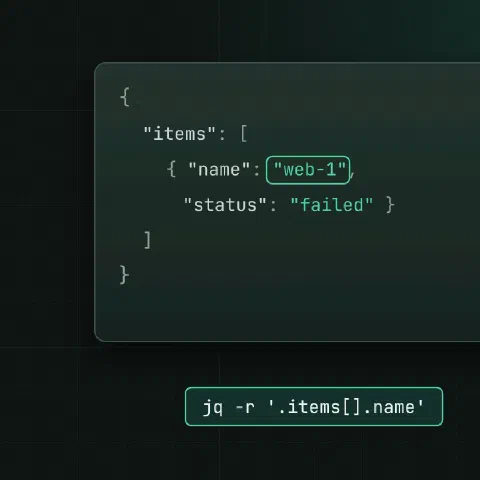
-r | Raw strings, no quotes |
-c | One line per result |
-s | Slurp all inputs into one array |
-n | No input; build JSON from scratch |
-e | Exit 1 if the last result is false or null |
--arg k v | Pass a string as $k |
--argjson k v | Pass JSON as $k |
-S | Sort keys |
Select
jq '.' file.json                        # pretty-print
jq '.name' file.json
jq '.items[0]' file.json
jq '.items[] | .metadata.name' file.json
jq '.items[-1]' file.json               # last
jq '.a.b?' file.json                    # no error if missing
jq 'keys' file.json
jq 'length' file.json
Filter
jq '.[] | select(.status == "failed")'
jq '.[] | select(.size > 1000000)'
jq '.[] | select(.name | test("^web-"))'
jq '.[] | select(.tags | index("prod"))'
jq --arg env prod '.[] | select(.env == $env)'
Reshape
jq '[.[] | {name, ip: .network.ip}]'
jq 'map(.price * .qty) | add'
jq 'to_entries | map("\(.key)=\(.value)") | .[]' -r
jq 'del(.metadata.managedFields)'
jq '.replicas = 3'
jq '. + {owner: "alice"}'
jq 'with_entries(select(.value != null))'
Group and count
jq 'group_by(.status) | map({status: .[0].status, count: length})'
jq '[.[].type] | unique'
jq 'sort_by(.created_at) | reverse | .[:5]'
jq 'min_by(.latency), max_by(.latency)'
Output for shells
jq -r '.[] | [.name, .ip] | @tsv' hosts.json
jq -r '.[] | [.name, .ip] | @csv' hosts.json
jq -r '@sh "export NAME=\(.name)"' item.json
jq -r '.token | @base64d' payload.json
Real examples
kubectl get pods -A -o json | jq -r '.items[] | select(.status.phase != "Running") | "\(.metadata.namespace)/\(.metadata.name)"'
aws ec2 describe-instances | jq -r '.Reservations[].Instances[] | [.InstanceId, .State.Name] | @tsv'
jq -s 'add' part-*.json                 # merge arrays from several files
jq -c '.[]' big.json | split -l 1000    # one object per line
Keep in mind
- Edit files with a temp file:
jq '.x = 1' f.json > f.tmp && mv f.tmp f.json. Redirecting onto the input empties it. jqwithout-rkeeps quotes, which is the usual reason a shell variable comes out wrong.
Related
- Linux pipes cheat sheet: redirects and chaining commands
- curl cheat sheet: HTTP requests and APIs
Comments
Sign in with Google, GitHub or Facebook to comment.
Loading comments…