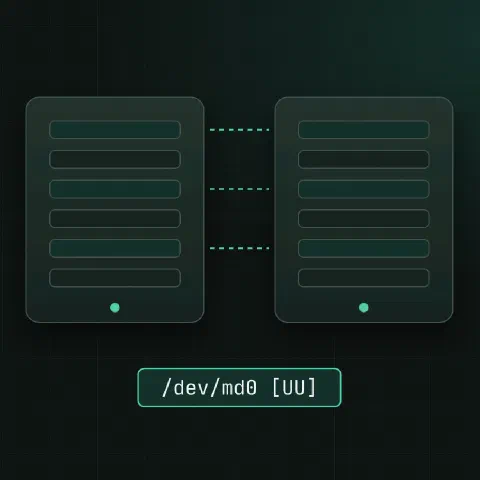
mdadm manages Linux software RAID (md devices). This sheet covers the full life of an array; for RAID levels and hardware controllers, see RAID levels and controller tools.
Status
cat /proc/mdstat
mdadm --detail /dev/md0
mdadm --detail --scan                   # one ARRAY line per array
mdadm --examine /dev/sdb1               # the RAID superblock on a member
In /proc/mdstat | Meaning |
|---|---|
[UU] | Both members up |
[U_] | Second member missing: degraded |
(F) after a disk | That member failed |
recovery = 42.1% | Rebuilding onto a new disk |
resync / check | Comparing members; normal after a crash or on a schedule |
Create an array
# RAID 1 from two partitions
mdadm --create /dev/md0 --level=1 --raid-devices=2 /dev/sdb1 /dev/sdc1

# RAID 10 from four disks
mdadm --create /dev/md1 --level=10 --raid-devices=4 /dev/sd[d-g]

# RAID 6 with a hot spare
mdadm --create /dev/md2 --level=6 --raid-devices=5 --spare-devices=1 /dev/sd[h-m]

mkfs.ext4 /dev/md0

# save the config so the array assembles at boot under the same name
mdadm --detail --scan >> /etc/mdadm/mdadm.conf     # Debian/Ubuntu
mdadm --detail --scan >> /etc/mdadm.conf           # RHEL/Fedora
update-initramfs -u                     # Debian/Ubuntu
dracut -f                               # RHEL/Fedora
Use partitions of type “Linux RAID” (fd00 in gdisk) slightly smaller than the disk, so a replacement disk a few sectors smaller still fits.
Create options
| Option | What it does |
|---|---|
--level=1 | RAID level: 0, 1, 4, 5, 6, 10 |
--raid-devices=4 | Active members |
--spare-devices=1 | Hot spares |
--metadata=1.2 | Superblock format (default 1.2) |
--chunk=512 | Chunk size in KiB for RAID 0, 5, 6, 10 |
--bitmap=internal | Write-intent bitmap: fast resync after a crash |
--name=data | Array name, stored in the superblock |
--layout=f2 | RAID 10 layout: n2 (default), f2 faster reads, o2 |
missing | Placeholder for a member you’ll add later |
--assume-clean | Skip the initial sync; only for recovery by experts |
# start a RAID 1 with one disk, add the second later (e.g. migrating a running system)
mdadm --create /dev/md0 --level=1 --raid-devices=2 /dev/sdb1 missing
Metadata versions
| Version | Superblock at | Use |
|---|---|---|
0.90 | End of the device | Legacy; members up to 2 TB (4 TB on newer kernels), 28 members max |
1.0 | End of the device | EFI system partitions and /boot read by firmware or old loaders |
1.1 | Start of the device | Rare |
1.2 | 4 KiB from the start | Default; use it unless something needs 1.0 |
With metadata at the end (0.90, 1.0), each member of a RAID 1 looks like a plain filesystem, which is why firmware can boot from it.
mdadm.conf
MAILADDR [email protected]
ARRAY /dev/md0 metadata=1.2 name=web1:0 UUID=3aa1c3d2:9b0e4f11:6c2d8e77:0f1a2b3c
ARRAY /dev/md1 metadata=1.2 name=web1:1 UUID=7f3e2d1c:4b5a6978:8e9d0c1b:2a3f4e5d
Without an ARRAY line, an array still assembles at boot but often as /dev/md127. Add the line, rebuild the initramfs, and it keeps its name.
Replace a disk
mdadm --detail /dev/md0                 # which member failed
mdadm /dev/md0 --fail /dev/sdc1         # mark it failed, if mdadm hasn't
mdadm /dev/md0 --remove /dev/sdc1
ls -l /dev/disk/by-id/ | grep sdc       # serial number, to pull the right disk

# after swapping the disk: copy the partition table from the healthy one
sfdisk -d /dev/sdb | sfdisk /dev/sdc    # MBR or GPT
sgdisk -R /dev/sdc /dev/sdb && sgdisk -G /dev/sdc   # GPT alternative: copy, then new GUIDs

mdadm /dev/md0 --add /dev/sdc1
watch -n 5 cat /proc/mdstat             # follow the rebuild
On a boot array, reinstall the boot loader on the new disk too (grub-install /dev/sdc, or add the EFI partition to the boot entries), or the server won’t boot from it.
Rebuild speed
cat /proc/sys/dev/raid/speed_limit_min /proc/sys/dev/raid/speed_limit_max   # KiB/s per device
sysctl -w dev.raid.speed_limit_min=100000      # rebuild faster, more I/O impact
sysctl -w dev.raid.speed_limit_max=500000
Grow and change
mdadm /dev/md2 --add /dev/sdn           # add a disk (becomes a spare)
mdadm --grow /dev/md2 --raid-devices=6  # use it: reshape onto 6 disks
mdadm --grow /dev/md0 --size=max        # after replacing members with bigger disks
resize2fs /dev/md0                      # then grow the filesystem (xfs_growfs for XFS)
mdadm --grow /dev/md0 --bitmap=internal # faster resync after a crash
A reshape rewrites the whole array and can take days on big disks. Take a backup first.
Change level
mdadm --grow /dev/md0 --level=5 --raid-devices=3 --add /dev/sdd1   # RAID 1 to RAID 5
mdadm --grow /dev/md2 --level=6 --raid-devices=6 --add /dev/sdo    # RAID 5 to RAID 6
cat /proc/mdstat                        # reshape progress
Level changes run as a reshape, like adding disks. Back up first, and expect it to take hours or days.
Stop and assemble
mdadm --stop /dev/md0
mdadm --assemble --scan                 # assemble everything found
mdadm --assemble /dev/md0 /dev/sdb1 /dev/sdc1
mdadm --assemble --run /dev/md0 /dev/sdb1      # start degraded, one member only
mdadm --zero-superblock /dev/sdc1       # wipe RAID metadata before reusing a disk
Monitor
mdadm --monitor --scan --daemonise --mail=[email protected]
mdadm --monitor --scan --oneshot --test  # send a test alert
echo check > /sys/block/md0/md/sync_action      # start a consistency check
cat /sys/block/md0/md/mismatch_cnt      # should be 0 after a check
Put MAILADDR [email protected] in mdadm.conf; the mdmonitor service (or mdadm on Debian) reads it. Debian and Ubuntu run a monthly check (checkarray from cron, or the mdcheck systemd timers on newer releases); RHEL runs raid-check from cron.
Troubleshooting
| Symptom | Fix |
|---|---|
Array named md127 after reboot | Add its ARRAY line to mdadm.conf, then update-initramfs -u or dracut -f |
inactive in /proc/mdstat | mdadm --stop /dev/md0, then mdadm --assemble --scan |
(auto-read-only) | Normal until the first write; mdadm --readwrite /dev/md0 to switch now |
| Won’t assemble: members out of sync after a crash | mdadm --assemble --force /dev/md0 /dev/sd[bc]1, then check the data |
| Boots into an emergency shell, array degraded | mdadm --run /dev/md0 from the shell, then fix the missing disk |
mismatch_cnt not 0 after a check | Common on RAID 1 with swap; on other data run echo repair > /sys/block/md0/md/sync_action |
--force can bring back an array whose members disagree. Copy the most important data off before writing anything to it.
Keep in mind
- Alert on degraded arrays: set
MAILADDR, enable the monitor service and send a test alert. - Record which serial number sits in which bay. Pulling the healthy disk from a degraded RAID 1 loses the data.
--zero-superblockand--createon the wrong device destroy arrays. Read the device names twice.
Related
- Linux RAID cheat sheet: levels and hardware RAID tools
- Linux disks cheat sheet: df, du, mounts and LVM
- disk full cheat sheet: deleted open files, full inodes, hidden space
Comments
Sign in with Google, GitHub or Facebook to comment.
Loading comments…