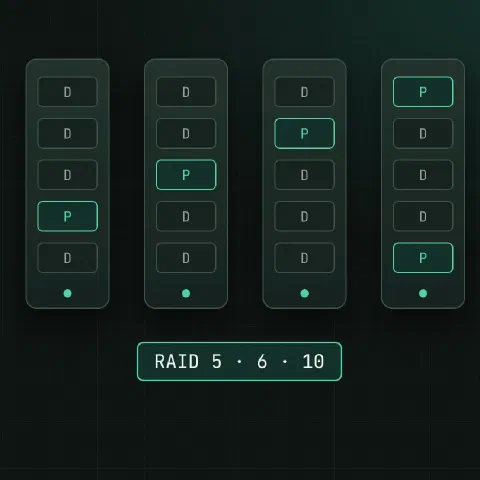
Most Linux servers use one of two kinds of RAID: software RAID with mdadm, or a hardware controller with its own CLI. The first table tells you which one you have.
Which RAID?
cat /proc/mdstat                        # md devices listed: software RAID
lsblk -o NAME,TYPE,SIZE,MODEL           # "raid1", "raid10" types: md
lspci | grep -iE 'raid|sas|megaraid|smart array'| You see | RAID type | Tool |
|---|---|---|
md0, md127 in /proc/mdstat | Linux software RAID | mdadm |
| LSI / Broadcom MegaRAID controller | Hardware | storcli (storcli64) |
| Dell PERC controller | Hardware (MegaRAID inside) | perccli (perccli64) |
| HPE Smart Array | Hardware | ssacli |
| One big disk, model “PERC” or “LOGICAL VOLUME” | Hardware, OS sees only the logical drive | the controller’s CLI |
RAID levels
| Level | Disks | Survives | Usable space | Use |
|---|---|---|---|---|
| RAID 0 | 2+ | Nothing | 100% | Scratch data only |
| RAID 1 | 2 | 1 disk | 50% | Boot and OS disks |
| RAID 5 | 3+ | 1 disk | (n−1)/n | Avoid with large disks: long rebuilds |
| RAID 6 | 4+ | 2 disks | (n−2)/n | Large arrays of big disks |
| RAID 10 | 4+ | 1 per mirror pair | 50% | Databases, anything write-heavy |
RAID isn’t a backup. It keeps the server running through a disk failure; it doesn’t protect against deletion, corruption or ransomware.
mdadm
cat /proc/mdstat                        # [UU] healthy, [U_] degraded, (F) failed member
mdadm --detail /dev/md0
mdadm /dev/md0 --fail /dev/sdc1 --remove /dev/sdc1
mdadm /dev/md0 --add /dev/sdc1          # after swapping the disk
Creating arrays, replacing disks step by step, growing, assembling and monitoring are in the step-by-step mdadm guide.
storcli, perccli
perccli uses the same syntax as storcli. /c0 is controller 0, e252 an enclosure, s3 a slot.
storcli64 show                          # controllers
storcli64 /c0 show                      # summary: virtual drives, physical drives
storcli64 /c0/vall show                 # virtual drives (arrays) and their state
storcli64 /c0/eall/sall show            # every physical drive
storcli64 /c0/e252/s3 show all          # one drive, with error counters
storcli64 /c0/e252/s3 show rebuild      # rebuild progress
storcli64 /c0/e252/s3 start locate      # blink the drive LED
storcli64 /c0/e252/s3 stop locate
storcli64 /c0/e252/s4 add hotsparedrive # global hot spare
storcli64 /c0/cv show                   # cache battery or capacitor
storcli64 /c0 show events # controller event log| Drive state | Meaning |
|---|---|
Onln | Online, in an array |
Offln | Offline |
Rbld | Rebuilding |
UGood | Unconfigured, healthy: can become a spare |
UBad | Unconfigured, bad |
GHS / DHS | Global / dedicated hot spare |
| Virtual drive state | Meaning |
|---|---|
Optl | Optimal |
Dgrd | Degraded: a member is missing |
Pdgd | Partially degraded (RAID 6 lost one of two) |
Rec | Recovering |
OfLn | Offline: data not accessible |
ssacli
ssacli ctrl all show status
ssacli ctrl all show config
ssacli ctrl slot=0 ld all show status   # logical drives
ssacli ctrl slot=0 pd all show status   # physical drives
ssacli ctrl slot=0 pd 1I:1:3 show detail
ssacli ctrl slot=0 pd 1I:1:3 modify led=on
ssacli ctrl slot=0 array A add spares=1I:1:5
Physical drives are named port:box:bay, like 1I:1:3.
Disk health
smartctl -H /dev/sdb                    # direct-attached or md members
smartctl -a /dev/sdb | grep -iE 'reallocated|pending|uncorrect|crc'
smartctl -a -d megaraid,3 /dev/sda      # disk 3 behind a MegaRAID/PERC controller
smartctl -a -d cciss,2 /dev/sda         # disk 2 behind an HPE Smart Array
Rising reallocated or pending sector counts mean the disk is on its way out. Replace it before the array degrades.
Keep in mind
- Alert on degraded arrays. A RAID 1 that lost a disk months ago and nobody noticed is a single disk.
- Label drive bays or record serial numbers. Pulling the healthy disk from a degraded array loses the data.
- A rebuild reads every sector of every remaining disk; that’s when a second weak disk fails. RAID 6 or RAID 10 for big disks, and backups regardless.
- Write cache on a hardware controller without a working battery or capacitor is either disabled (slow) or unsafe. Check
storcli64 /c0/cv show.
Related
- mdadm cheat sheet: software RAID step by step
- Linux disks cheat sheet: df, du, mounts and LVM
- disk full cheat sheet: deleted open files, full inodes, hidden space
- slow server checklist: load, memory, disk I/O and network
Comments
Sign in with Google, GitHub or Facebook to comment.
Loading comments…