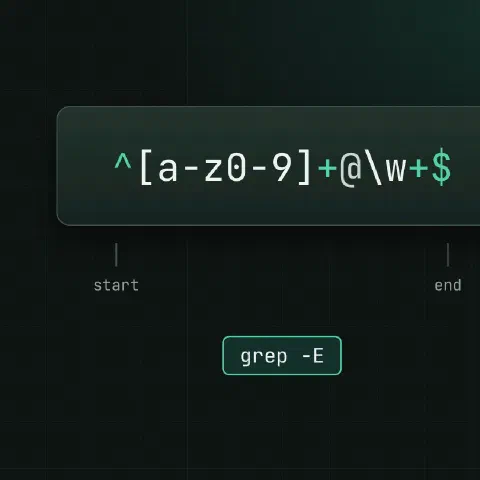
Characters
| Pattern | Matches |
|---|---|
. | Any one character |
[abc] | One of a, b, c |
[^abc] | Anything but a, b, c |
[a-z0-9] | Range |
\d / [0-9] | Digit (\d in PCRE only) |
\w | Letter, digit or underscore |
\s | Whitespace |
[[:alpha:]] | POSIX class; also digit, space, upper, alnum, punct |
Anchors
| Pattern | Matches |
|---|---|
^ | Start of line |
$ | End of line |
\b | Word boundary (GNU and PCRE) |
\< / \> | Start / end of a word (GNU) |
Repeats
| Pattern | Matches |
|---|---|
* | 0 or more |
+ | 1 or more |
? | 0 or 1 |
{3} | Exactly 3 |
{2,5} | 2 to 5 |
{2,} | 2 or more |
*?, +? | As few as possible (PCRE only) |
Groups
| Pattern | Meaning |
|---|---|
(a|b) | a or b |
(…) then \1 | Capture, then reuse |
(?:…) | Group without capturing (PCRE) |
(?=…) / (?!…) | Lookahead: followed / not followed by (PCRE) |
(?<=…) | Lookbehind (PCRE) |
BRE, ERE, PCRE
| BRE | ERE | PCRE | |
|---|---|---|---|
| Tools | grep, sed | grep -E, sed -E, awk | grep -P, Perl, Python, most languages |
Groups and | | \(…\), \| | (…), | | (…), | |
+ ? {n} | \+ \? \{n\} (GNU) | + ? {n} | + ? {n} |
\d, lookaround, lazy | No | No | Yes |
When a pattern “doesn’t work” in grep or sed, add -E first.
grep, sed, awk
grep -E '^(GET|POST) ' access.log
grep -oE '[0-9]+ms' app.log             # print only the match
grep -P '(?<=user=)\w+' app.log -o      # value after user=
grep -vE '^\s*(#|$)' nginx.conf         # drop comments and blank lines

sed -E 's/([0-9]{4})-([0-9]{2})-([0-9]{2})/\3.\2.\1/' dates.txt
sed -E 's/\s+$//' file                  # trailing whitespace
sed -E '/^\s*#/d' file                  # delete comment lines

awk '$9 ~ /^5[0-9][0-9]$/' access.log   # 5xx status codes
awk '!/^#/ && NF' file                  # skip comments and empty lines
Ready patterns
| What | ERE pattern |
|---|---|
| IPv4 (loose) | ([0-9]{1,3}\.){3}[0-9]{1,3} |
| ISO date | [0-9]{4}-[0-9]{2}-[0-9]{2} |
| Time | [0-9]{2}:[0-9]{2}(:[0-9]{2})? |
| Email (loose) | [[:alnum:]._%+-]+@[[:alnum:].-]+\.[[:alpha:]]{2,} |
| UUID | [0-9a-f]{8}-([0-9a-f]{4}-){3}[0-9a-f]{12} |
| Hex colour | #[0-9A-Fa-f]{6} |
| Semver | [0-9]+\.[0-9]+\.[0-9]+ |
| Blank line | ^[[:space:]]*$ |
| HTTP status in a log | " [1-5][0-9]{2} |
The loose IP pattern also matches 999.1.1.1. Fine for finding addresses in logs, not for validating input.
Escaping
| Character | Escape when you mean it literally |
|---|---|
. * [ ] ^ $ \ | Always |
+ ? ( ) { } | | In ERE and PCRE |
/ | Inside sed 's/…/…/'; or pick another delimiter: s#/old#/new# |
grep -F 'a.b*c' file # fixed string: no regex at allKeep in mind
- Single-quote patterns in the shell, so
$,*and\reach grep untouched. - Regex can’t parse JSON, HTML or nested structures reliably. Use
jqor a real parser. - Test on real samples first:
grep -nE 'pattern' file | head.
Related
- Linux pipes cheat sheet: redirects and chaining commands
- grep cheat sheet: searching text
- sed cheat sheet: editing text in streams and files
- awk cheat sheet: columns, sums and reports
Comments
Sign in with Google, GitHub or Facebook to comment.
Loading comments…