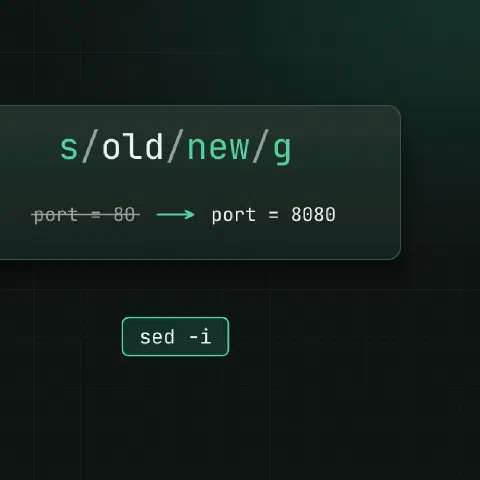
sed reads a stream line by line and applies commands to it. In practice that means three things: substitute, delete and print.
Substitute
sed 's/old/new/' file.txt          # first match on each line
sed 's/old/new/g' file.txt         # every match
sed 's/old/new/2' file.txt         # only the second match
sed 's/old/new/gi' file.txt        # ignore case (GNU)
sed 's|/var/www|/srv/www|g' file   # any delimiter, handy for paths
sed 's/.*/"&"/' file.txt           # & is the whole match: quote every line
Several commands at once:
sed -e 's/foo/bar/g' -e 's/baz/qux/g' file.txtIn place
sed -i 's/^#\?PermitRootLogin.*/PermitRootLogin no/' /etc/ssh/sshd_config
sed -i.bak 's/^port = 80$/port = 8080/' app.conf # keep a backup as app.conf.bak- On macOS (BSD sed)
-ineeds an argument:sed -i '' 's/a/b/' file.-i.bakworks on both. - Check the result first: run without
-i, or diff afterwards (diff app.conf.bak app.conf). - Anchor the pattern.
s/80/8080/also turns180into18080. -iwrites a new file and renames it over the old one, so a symlink becomes a regular file. GNU sed keeps the link with--follow-symlinks.
Choose lines
sed -n '5p' file.txt               # line 5 only (-n turns off default printing)
sed -n '10,20p' file.txt           # lines 10 to 20
sed -n '$p' file.txt               # last line
sed -n '/BEGIN/,/END/p' file.txt   # from one pattern to the next
sed '3s/a/b/' file.txt             # substitute on line 3 only
sed '/^server {/,/^}/s/80/8080/' nginx.conf   # only inside a block
Delete
sed '1d' data.csv                  # header
sed '$d' file.txt                  # last line
sed '/^\s*#/d' file.conf           # comment lines
sed '/^\s*$/d' file.txt            # empty lines
sed '/^\s*\(#\|$\)/d' file.conf    # both (GNU)
sed '/^[[:space:]]*#/d' file.conf  # portable: \s is a GNU extension
sed 's/[[:space:]]*$//' file.txt   # trailing whitespace
Insert and append
sed '1i # managed by ansible' file.conf        # line before line 1
sed '/^\[mysqld\]/a max_connections = 500' my.cnf   # line after a match
sed '$a last line' file.txt                    # at the end
These one-line forms are GNU syntax; BSD sed wants a backslash and a newline after i and a.
Capture groups
# Swap "last, first" → "first last"
sed -E 's/^([^,]+), (.+)$/\2 \1/' names.txt

# Pull the version out of a line
echo 'version: 1.24.3' | sed -E 's/.*: ([0-9.]+)/\1/'

# Mask the middle of card numbers (keep the first 6 and last 4; \b is GNU)
sed -E 's/\b([0-9]{6})[0-9]{6}([0-9]{4})\b/\1******\2/g' log.txt
-E gives extended regex: +, ?, () and {} without backslashes. Without it, write \( \) and \{ \}.
Variables
host=db2.example.com
sed -i "s/^DB_HOST=.*/DB_HOST=${host}/" .env
Use double quotes for the shell variable, and pick a delimiter that can’t appear in the value (| for paths and URLs).
Keep in mind
- sed works on lines. For multi-line edits or structured files (JSON, YAML), use
jq,yqor a real tool. .in a pattern matches any character; escape it (\.) when you mean a dot, e.g. in IPs and domains.- For repeatable config changes across servers, sed in a script works, but Ansible’s
lineinfileis idempotent and easier to review.
Related
- Linux pipes cheat sheet: redirects and chaining commands
- regex cheat sheet: patterns for grep, sed and awk
- grep cheat sheet: searching text
- awk cheat sheet: columns, sums and reports
Comments
Sign in with Google, GitHub or Facebook to comment.
Loading comments…