Moving
| Keys | Action |
|---|---|
Ctrl-A / Ctrl-E | Start / end of line |
Alt-B / Alt-F | Back / forward one word |
Ctrl-X Ctrl-X | Jump between the cursor and the start of the line |
Editing
| Keys | Action |
|---|---|
Ctrl-W | Delete the word before the cursor |
Alt-D | Delete the word after |
Ctrl-U / Ctrl-K | Delete to start / end of line |
Ctrl-Y | Paste what you just deleted |
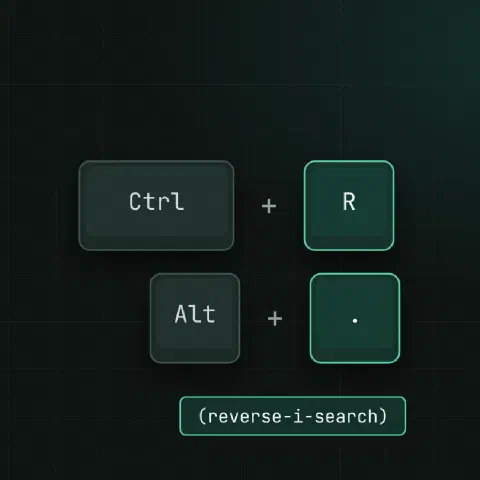
Alt-. | Insert the last argument of the previous command (repeat for older ones) |
Ctrl-_ | Undo |
Alt-U / Alt-L | Upper / lower case the next word |
Ctrl-X Ctrl-E | Open the line in $EDITOR |
Control
| Keys | Action |
|---|---|
Ctrl-C | Cancel the command |
Ctrl-Z | Suspend; fg brings it back |
Ctrl-D | End of input; exits an empty shell |
Ctrl-L | Clear the screen |
Ctrl-S / Ctrl-Q | Freeze / unfreeze output (the “my terminal hung” key) |
History search
| Keys | Action |
|---|---|
Ctrl-R | Search back; press again for older matches |
Ctrl-S | Search forward (needs stty -ixon) |
Ctrl-G | Leave the search without running anything |
Ctrl-P / Ctrl-N | Previous / next command |
History expansion
| Syntax | Expands to |
|---|---|
!! | The previous command: sudo !! |
!$ | Its last argument |
!^ | Its first argument |
!* | All its arguments |
!42 | Command 42 from history |
!ssh | The last command starting with ssh |
^old^new | Previous command with old replaced by new |
!!:p | Print it without running |
Brace expansion
cp nginx.conf{,.bak}                    # cp nginx.conf nginx.conf.bak
mv report.{txt,md}
mkdir -p project/{src,tests,docs}
echo web{1..5}.example.com
touch log-{01..12}.txt                  # zero-padded
echo {a..e}
Globbing
| Pattern | Matches |
|---|---|
* | Anything in one directory level |
? | One character |
[0-9] | One digit |
** | Any depth (after shopt -s globstar) |
!(*.log) | Everything except .log (after shopt -s extglob) |
shopt -s globstar nullglob
ls **/*.yaml
Directories
cd -                                    # back to the previous directory
pushd /etc/nginx; popd                  # a directory stack
cd ~alice                               # someone's home
History settings
HISTSIZE=100000
HISTFILESIZE=200000
HISTCONTROL=ignoreboth:erasedups        # skip duplicates and lines starting with a space
HISTTIMEFORMAT='%F %T '
shopt -s histappend                     # don't overwrite history from other terminals
Start a command with a space to keep it, and any secret in it, out of history.
Keep in mind
- These are readline defaults (Emacs mode).
set -o viswitches to vi keys. - In many terminals
Altneeds to be set to send Meta. IfAlt-.doesn’t work,Escthen.does the same.
Comments
Sign in with Google, GitHub or Facebook to comment.
Loading comments…