Work through it top to bottom. Each step takes seconds and rules a whole area in or out.
1. Load
$ uptime
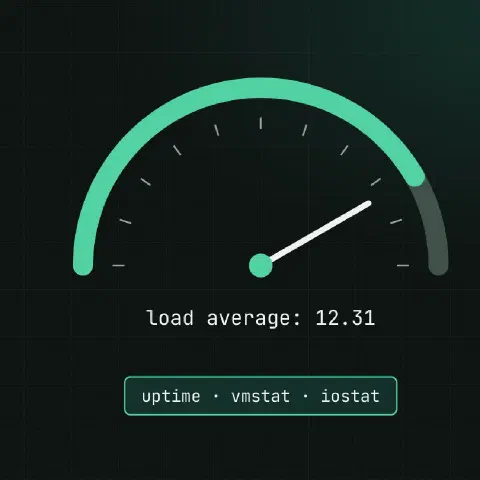
 10:42:11 up 31 days,  2:10,  2 users,  load average: 12.31, 8.02, 4.11
$ nproc
8
The three numbers are 1, 5 and 15 minute averages of runnable plus uninterruptible (D) tasks. Above nproc means work is queueing. Rising from right to left means it’s getting worse now.
2. Kernel log
dmesg -T | tail -30
journalctl -k -p warning --since '1 hour ago'
Look for the OOM killer, I/O errors, NIC resets, “hung task” and CPU throttling before tuning anything.
3. CPU and memory
vmstat 1 5
mpstat -P ALL 1 3                       # per CPU (sysstat)
top -o %CPU| vmstat column | Look for |
|---|---|
r | Runnable tasks; above CPU count means CPU saturation |
b | Blocked on I/O |
si / so | Swapping in and out; anything steady is bad |
us / sy | User vs kernel CPU time |
wa | Waiting on I/O |
st | Stolen by the hypervisor: a noisy neighbour or an undersized VM |
4. Memory
free -h
ps -eo pid,rss,cmd --sort=-rss | head
cat /proc/pressure/memory               # PSI: time stalled on memory
Read available, not free. Linux uses spare RAM for cache, and that’s healthy.
5. Disk I/O
iostat -xz 1 3
pidstat -d 1 5                          # I/O per process
iotop -o                                # if installed
df -h; df -i| iostat column | Look for |
|---|---|
%util | Near 100% on a single disk means it’s saturated (less useful on SSD/NVMe arrays) |
r_await / w_await | Milliseconds per request; tens of ms on SSD is a problem |
aqu-sz | Queue depth |
6. Network
ss -s                                   # socket totals
ss -tanp state established | wc -l
ss -ltnp                                # listeners and their processes
sar -n DEV 1 3                          # throughput per interface
sar -n TCP,ETCP 1 3                     # retransmits
nstat -az | grep -iE 'retrans|drop|overflow'
ip -s link                              # errors and drops per NIC
Many TIME-WAIT sockets are normal; a growing SYN-RECV count or listen overflows are not.
7. Pressure
cat /proc/pressure/cpu /proc/pressure/memory /proc/pressure/iosome avg10=25.00 means some task waited on that resource 25% of the last 10 seconds. It’s the quickest way to tell which resource is short.
8. What changed
last -x | head                          # reboots and logins
journalctl --since '2 hours ago' -p err
grep -h ' install \| upgrade ' /var/log/dpkg.log | tail      # Debian/Ubuntu
dnf history list | head                 # RHEL family
systemctl list-units --failed
Keep in mind
- Install
sysstatbefore you need it, and enable its collector, sosarhas history for “what happened at 3 a.m.”. - High load with idle CPUs means tasks stuck in
D: check storage and NFS first. - Save the outputs to a file as you go. They’re the evidence for the post-mortem.
Comments
Sign in with Google, GitHub or Facebook to comment.
Loading comments…