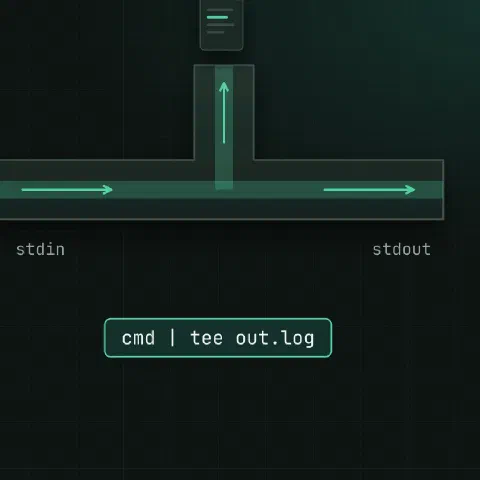
tee copies stdin to stdout and to one or more files at the same time, like a T-joint in a pipe.
Basics
make 2>&1 | tee build.log               # watch and save
make 2>&1 | tee -a build.log            # append instead of overwriting
cmd | tee out1.txt out2.txt             # several files at once
cmd | tee /dev/tty | wc -l # show on screen, count in the pipe| Flag | What it does |
|---|---|
-a | Append to the files |
-i | Ignore Ctrl-C (SIGINT) |
-p | Keep going when writing to a pipe fails (GNU) |
Write as root
# fails: the redirect runs as you, not as root
sudo echo "vm.swappiness=10" > /etc/sysctl.d/99-swap.conf

# works: tee runs as root
echo "vm.swappiness=10" | sudo tee /etc/sysctl.d/99-swap.conf > /dev/null
echo "192.0.2.5 db.internal.example.com" | sudo tee -a /etc/hosts > /dev/null

# a whole file
sudo tee /etc/apt/sources.list.d/example.sources > /dev/null <<'EOF'
Types: deb
URIs: https://repo.example.com/apt
Suites: stable
Components: main
Signed-By: /etc/apt/keyrings/example.gpg
EOF
The > /dev/null keeps tee from echoing the file contents to your terminal.
Log a long job
./migrate.sh 2>&1 | tee "migrate-$(date +%F-%H%M).log"
rsync -av /data/ /backup/ | tee -a /var/log/rsync.log | tail -n 5
Split a stream
# save the raw log and a filtered copy in one pass
tail -F app.log | tee raw.log | grep --line-buffered ERROR > errors.log

# checksum while downloading
curl -fsSL https://example.com/app.tar.gz | tee app.tar.gz | sha256sum

# send to two commands (bash process substitution)
cat access.log | tee >(grep ' 500 ' > 5xx.log) >(wc -l > count.txt) > /dev/null
Exit codes
make 2>&1 | tee build.log
echo $?                                 # tee's status, not make's

set -o pipefail                         # the pipe fails if make fails
make 2>&1 | tee build.log || echo "build failed"

make 2>&1 | tee build.log
echo "${PIPESTATUS[0]}"                 # make's own status (bash), read it right after the pipe
Keep in mind
tee filetruncates the file first, like>. Use-afor logs you keep.- Output may arrive in chunks rather than line by line when the command before
teebuffers. Usestdbuf -oL cmd | tee logor the program’s own line-buffer flag.
Related
- Linux pipes cheat sheet: redirects and chaining commands
- Bash scripting cheat sheet: pipefail, traps and loops
- /dev/null, /dev/zero and /dev/urandom: discarding output and random data
Comments
Sign in with Google, GitHub or Facebook to comment.
Loading comments…