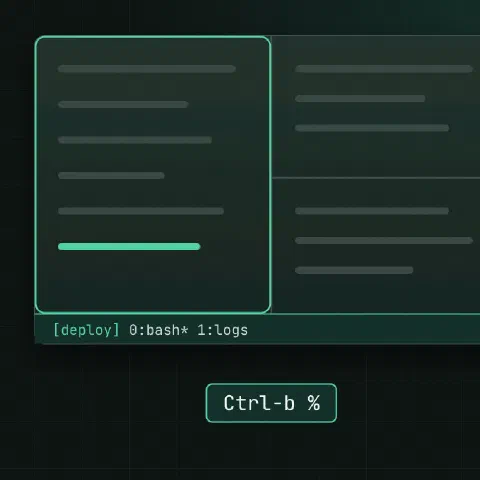
Prefix is Ctrl-b by default. Press it, let go, then press the key.
Sessions
tmux new -s deploy                      # new named session
tmux ls
tmux attach -t deploy                   # or: tmux a
tmux new -As deploy                     # attach, or create if missing
tmux kill-session -t deploy| Keys | Action |
|---|---|
Prefix d | Detach; everything keeps running |
Prefix s | Pick a session |
Prefix $ | Rename the session |
Prefix ( / ) | Previous / next session |
Windows
| Keys | Action |
|---|---|
Prefix c | New window |
Prefix , | Rename it |
Prefix n / p | Next / previous |
Prefix 0–9 | Go to window number |
Prefix w | Pick from a list |
Prefix & | Close the window |
Panes
| Keys | Action |
|---|---|
Prefix % | Split left and right |
Prefix " | Split top and bottom |
Prefix arrow | Move between panes |
Prefix z | Zoom a pane to full size and back |
Prefix x | Close the pane |
Prefix space | Cycle layouts |
Prefix { / } | Swap panes |
Prefix ! | Turn the pane into its own window |
Prefix Ctrl-arrow | Resize |
Copy mode
| Keys | Action |
|---|---|
Prefix [ | Enter copy mode, scroll with arrows or PgUp |
/ / ? | Search down / up |
Space then Enter | Start selection, copy |
Prefix ] | Paste |
q | Leave copy mode |
With setw -g mode-keys vi, use v to select and y to copy.
Commands
tmux send-keys -t deploy 'tail -f /var/log/app.log' Enter
tmux new -d -s backup 'rsync -a /data /backup'          # start detached
tmux capture-pane -pS -3000 -t deploy > pane.log        # save scrollback
tmux setw synchronize-panes on          # type in every pane at once
Prefix : opens the command prompt inside tmux, for the same commands without the tmux prefix.
Share a session
tmux -S /tmp/pair new -s pair
chmod 770 /tmp/pair; chgrp ops /tmp/pair
tmux -S /tmp/pair attach -t pair        # the other person, in group ops
Minimal config
set -g mouse on
set -g history-limit 50000
set -g base-index 1
setw -g pane-base-index 1
set -g renumber-windows on
setw -g mode-keys vi
set -sg escape-time 10
bind r source-file ~/.tmux.conf \; display "reloaded"
bind | split-window -h -c "#{pane_current_path}"
bind - split-window -v -c "#{pane_current_path}"
Keep in mind
- Run long jobs on a server inside tmux, so a dropped SSH connection doesn’t kill them.
- Nested tmux (local and remote): press the prefix twice to reach the inner one.
- With
mouse on, holdShiftto select text with the terminal’s own selection.
Comments
Sign in with Google, GitHub or Facebook to comment.
Loading comments…